
CLIENT CASE STUDY · AUTO BODY & REPAIR WEBSITE
A modern website for a longstanding local repair business.
For Chuck’s Auto Body, XWeb Pros brought service information, repair guidance, and clear contact actions into a coordinated website experience. The design helps visitors understand their options and take the next step toward getting their vehicle assessed.
Book a Discovery Call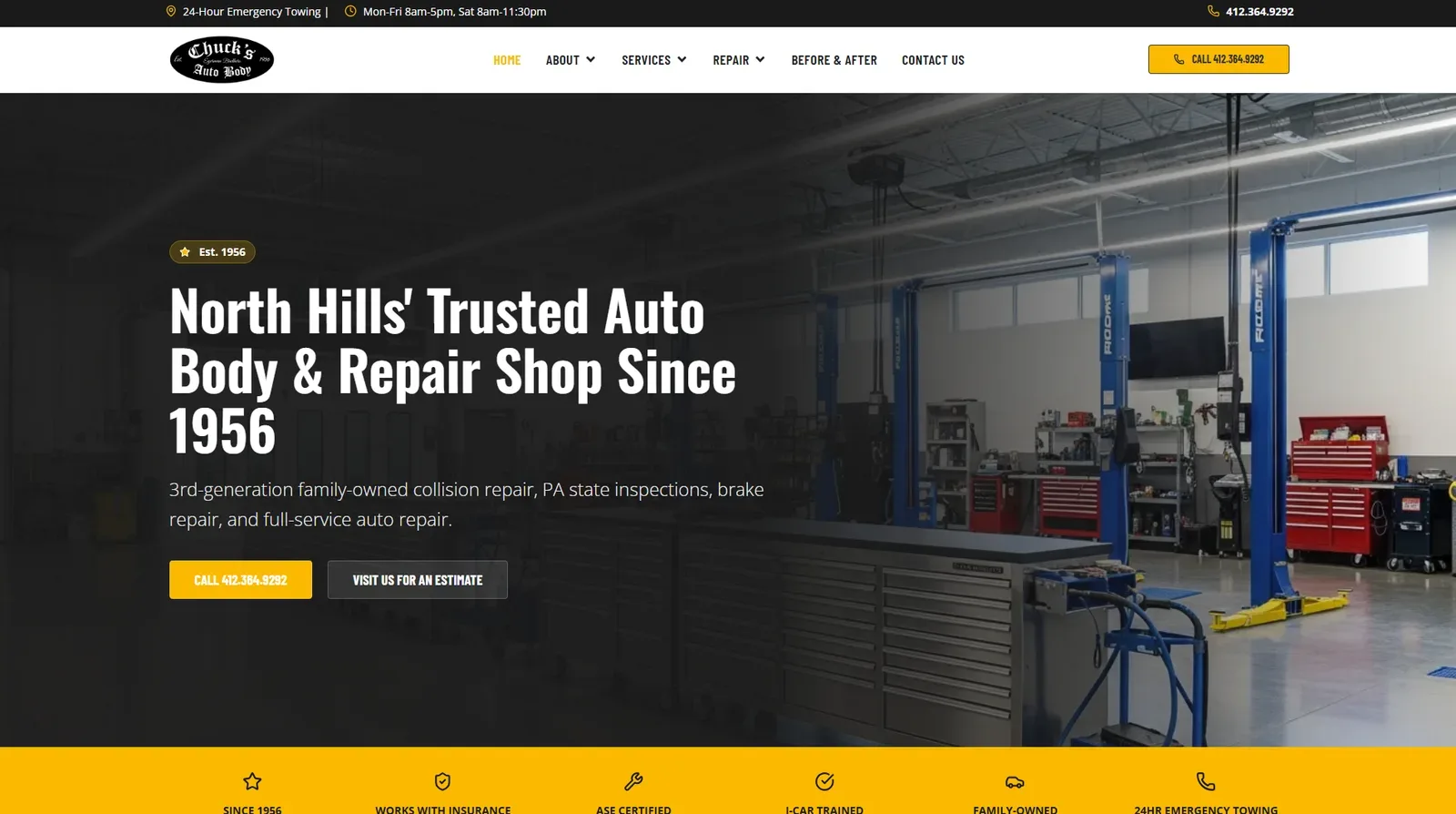
- Client
- Chuck’s Auto Body
- Industry
- Collision repair and automotive services
- Market
- Pittsburgh’s North Hills.
- Website
- chucksautobody412.com
- Focus
- Responsive web design, service navigation, and repair-intake entry points.
01 / The priorities
Help drivers understand what to do next.
Someone researching vehicle repairs may need service information, a way to contact the shop, or guidance on starting a repair inquiry. This project organizes those needs into clear navigation and visible next steps.
Chuck’s Auto Body’s own website presents a family-owned repair business established in 1956. That history belongs to the shop; the priorities below describe website design objectives, not a claim about problems with an earlier website.
- 01
Explain the shop’s services and local identity.
Introduce the service offering alongside the client’s own business identity.
- 02
Make contact and visit information easy to locate.
Give call and estimate-visit actions a prominent place in the experience.
- 03
Provide structured ways to introduce a repair need.
Present repair-intake and photo-guidance destinations without promising automated assessment.
02 / Visual design
Clear services. Recognizable identity. Visible next steps.
Workshop imagery and strong headings introduce the business. The black, white, and yellow identity carries through the navigation and contact actions, while service and repair-resource destinations give visitors different ways to explore.
The client’s Before & After navigation refers to vehicle repairs, not a before-and-after comparison of this website. No previous website capture was supplied. Logo, premises photography, business history, and automotive certifications are the client’s source content—not evidence of XWeb Pros authorship or certification.
- 1Automotive contextWorkshop imagery establishes the automotive context.
- 2Clear introductionStrong headings introduce the business and service offering.
- 3Contact emphasisYellow buttons emphasize contact actions.
- 4Service organizationService navigation separates repair categories.
- 5Repair guidanceRepair resources provide an additional path for visitors seeking guidance.
- 6Visible contactContact information is prominent in the page header and hero.
03 / Responsive
A consistent experience across screen sizes.
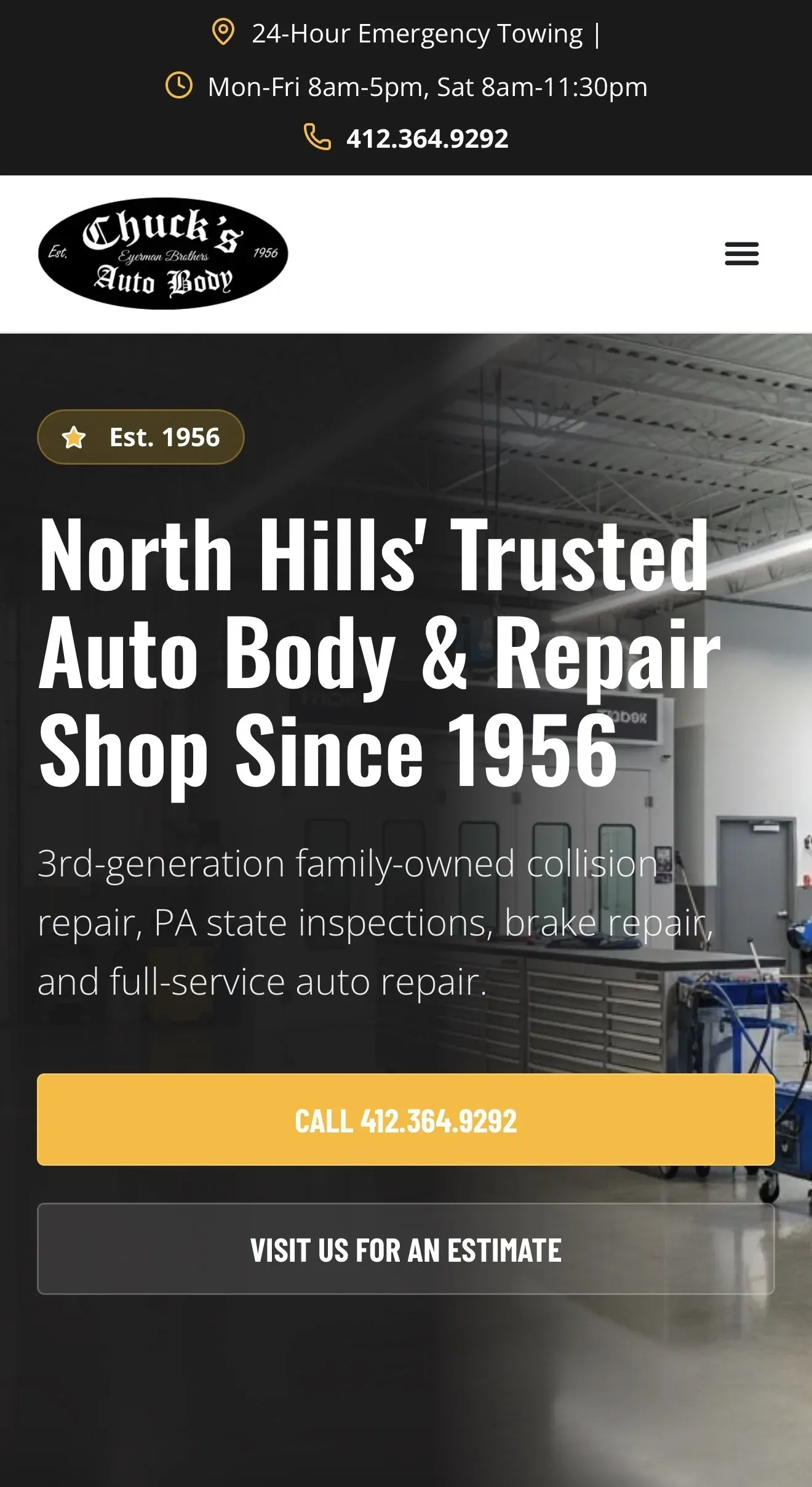
The supplied captures show full desktop navigation, a compact tablet menu, and stacked mobile call and estimate-visit buttons. Select a view, scroll the taller screenshot, or open the full image for a closer look.
These are captured website views, not a live device emulator or evidence of a formal accessibility audit. Contact details and hours inside the screenshots remain as captured.
Captured website views, not a live device emulator.
04 / Repair intake
Start the conversation before the shop visit.
The public Start Your Repair page presents a staged intake entry point covering customer contact information, vehicle details, service needs, damage information, insurance context, and photo fields. Its purpose is to introduce a repair need before a visit.
The separate Upload Damage Photos page presents photo guidance and input fields. It explicitly states that its presentation form stores only filenames and does not upload images. These public entry points are described here without claiming verified submission delivery or photo processing.
Online information supports the initial inquiry. Final estimates require an in-person inspection.
The journey below is conceptual, not a tested backend workflow. No requests or photos were submitted. This portfolio page contains screenshot previews only and does not collect vehicle or insurance information.
Online information supports the initial inquiry. Final estimates require an in-person inspection.
- 01Introduce the vehicle and service need.Begin with an overview of the repair inquiry.
- 02Share relevant damage information.Describe the issue to give the shop initial context.
- 03Provide supporting photos where appropriate.Consult the client’s photo guidance; upload behavior has not been verified.
- 04Continue with the shop’s assessment process.Final estimates require an in-person inspection.
Public-page capture: the initial customer-information step, with no data entered. Submission delivery was not tested. Public-page capture: photo guidance and empty information fields. The page describes a presentation form storing filenames, not uploaded images.
05 / Supporting information
Useful information around the repair decision.
The public homepage introduces auto body repair, Pennsylvania state inspection, brake repair, and other auto repair through separate service destinations. It also presents the shop’s family history, collision-repair and estimate-process information, and direct contact and visit actions.
These visible information paths help visitors orient themselves. Customer reviews and automotive credentials describe Chuck’s Auto Body, not XWeb Pros. A careers link does not establish a recruiting platform, and the repair pages do not establish a customer portal, custom dashboard, insurer synchronization, AI damage assessment, appointment confirmation, or automated approvals.
| Website element | What it shows |
|---|---|
| Service destinations | The homepage links to auto body repair, Pennsylvania inspections, brake repair, and other auto repair. |
| Local business identity | The client presents its family history and establishment date in its own website. |
| Repair-process information | The homepage introduces the collision repair and estimate process. |
| Contact and visit actions | The hero provides separate ways to call or find estimate-visit information. |
06 / Delivered
What this project brings together
A coordinated presentation of a local automotive business, its service information, and practical inquiry entry points. These are qualitative website capabilities—not measured traffic, leads, revenue, search rankings, or time savings. Public photo-entry fields are not proof of a functioning upload service.
- A cohesive automotive website presentation.
- Organized service and repair-resource navigation.
- Responsive desktop, tablet, and mobile layouts.
- Prominent call and visit actions.
- Public repair-intake and photo-upload entry points.
Your next project
Make it easier for customers to take the next step.
From service discovery to the first inquiry, we help businesses create websites that explain their offering and support the way customers reach out.
Related services