
Custom Applications and Business Tools → Custom apps built around your business
Custom Apps Built Around Your Business
We build custom applications around your ideas, daily tasks, and disconnected systems. From customer portals to custom dashboards, we create tools that help you serve customers and manage operations.
Illustrative Demo · Sample data, not client work.
Interactive examples
What Could We Build for You?
Pick a category and try the demonstration. Everything below stays on this page.
Demo actions stay in this window. No appointments, payments or customer records are created. Prices are sample values.
What the preview shows
Account overview, documents, membership details, request status.
Give customers a convenient place to access information, instead of calling or emailing for it.
How an app connects a business
From request to update, without the handoffs getting lost
Customer submits a request
A simple form captures what the customer needs, in the same shape every time, so nothing arrives as a vague voicemail.
Seen by: Customer. Illustrative flow with sample data.
- New request
- Needs: replace door seal
- Status: Received
How we scope an application
For a workflow that needs an interface
Customer portals, internal dashboards and operational tools serve different users. We start by identifying who needs access, what each person can do and where information comes from.
Define the useful first scope
Examples include role-based views, forms, status screens and integrations with agreed systems. These are possibilities, not prebuilt features or examples of client results. Security and data-handling requirements belong in discovery.
An incremental build conversation
Map the users and tasks, prioritize the first workflow, define permissions and dependencies, review an interface plan, then build, test and hand off the approved scope. Existing systems may limit available integrations.
- Workflow and user-role mapping
- Interface planning
- Permissions and handoff requirements
Actual client work
Applications we have built
These are published case studies, separate from the illustrative demos above.
Outdoor Recreation & Membership
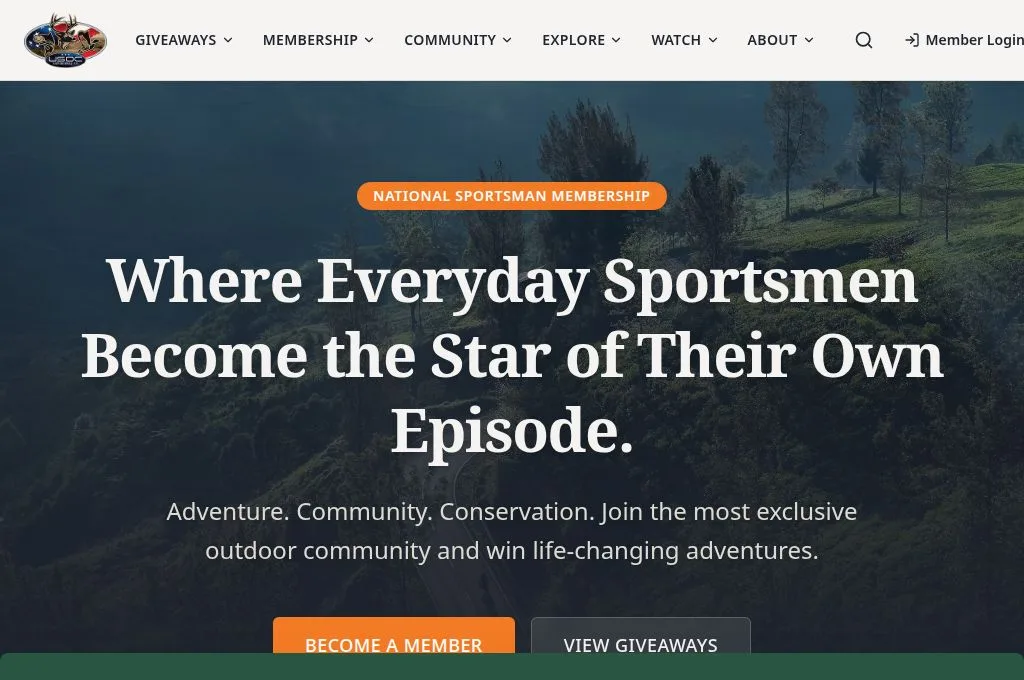
USOC Adventures TV
A redesigned website, member experience, and administrative workspace connecting memberships, giveaways, sponsors, community programs, and video content.
Member experience
- Membership and account access
- Giveaways and winner stories
- Sponsors and outdoor communities
- USOC Live
Heating, ventilation, air conditioning, and refrigeration
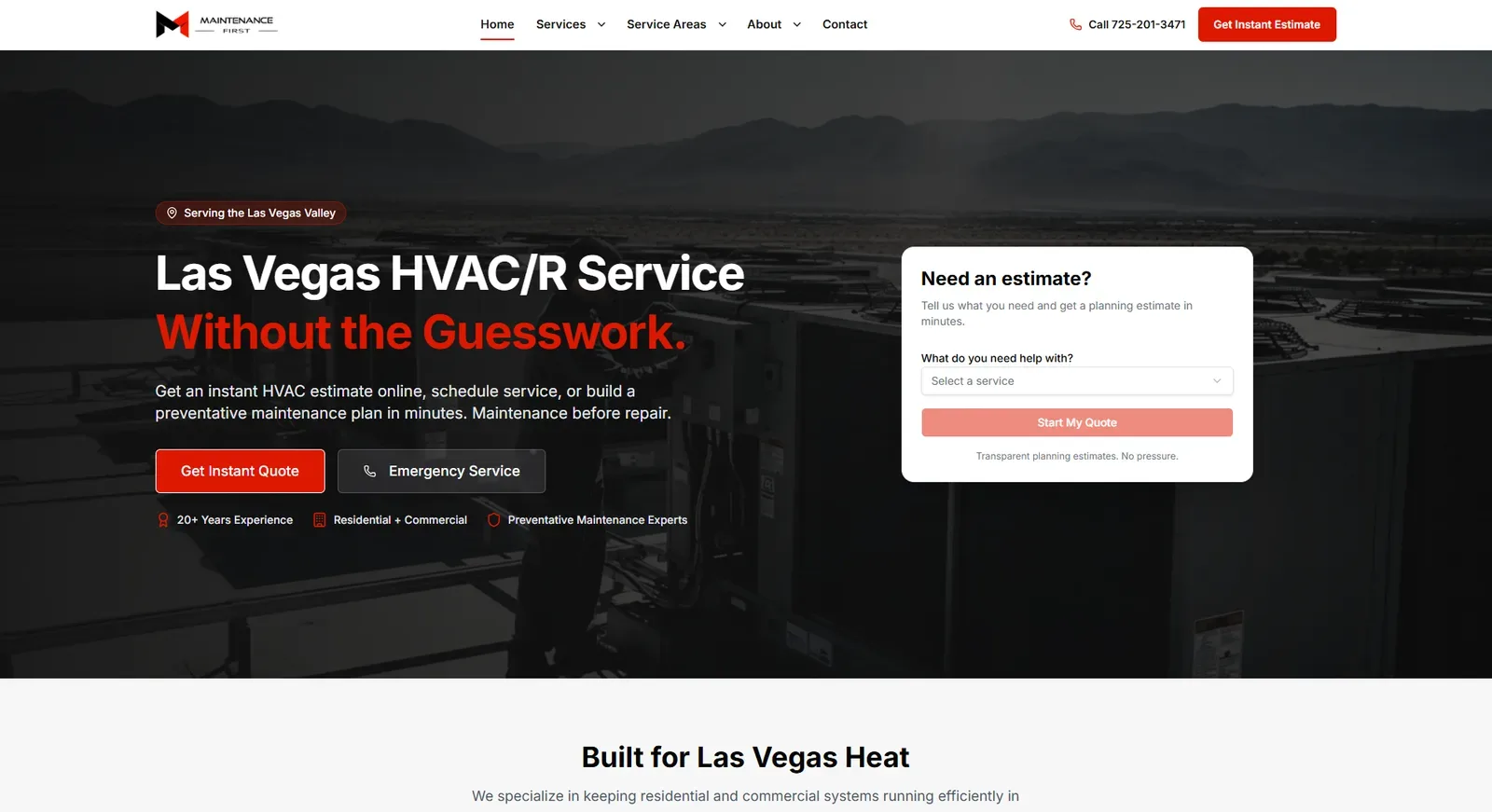
Maintenance First
A responsive HVAC/R website pairing online planning estimates with a central workspace for inquiries, content, and estimator management.
Member experience
- Explain the service offering
- Start an estimate inquiry
- Support visitors on smaller screens
- Organize incoming activity
Youth sports and volleyball training
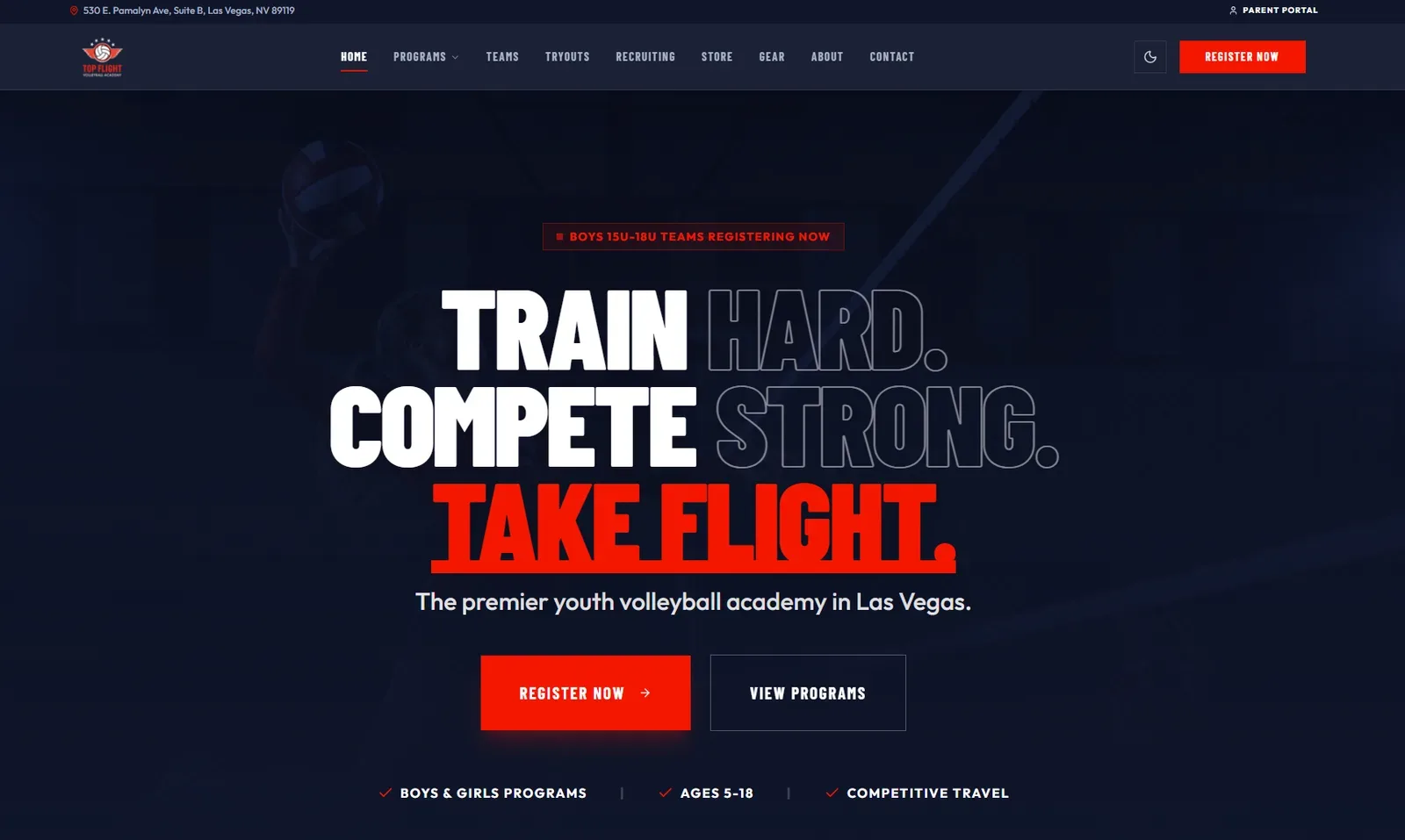
Top Flight Volleyball Academy
A bold volleyball website paired with parent account tools and an administrative workspace for registrations, programs, and payment management.
Member experience
- For prospective families
- For existing parents
- For academy staff
How a project moves
- 1
Discover
Map the users, tasks and systems involved, and choose a useful first workflow.
- 2
Design
Plan roles, permissions and screens, and review the interface before it is built.
- 3
Build
Develop and test the approved scope in stages.
- 4
Launch & Improve
Hand off the approved scope, then refine based on how people use it.
Questions about building an app
Make the tool part of a wider workflow
Automation connects steps across systems; a chatbot provides a conversational entry point. For billing or payment-facing portals, merchant provider fit requires a separate review.
Custom Applications and Business Tools → Custom apps built around your business
Have an Idea—or a Process That Needs Improving?
We’ll help you explore the right application, features, and next steps for what your business needs to do.
Book a Discovery CallWe help you find a practical next step for your business.
Built with precision. Delivered with pride.